Browser and Webcam
Omoggle runs in any modern browser. Chrome or Firefox on desktop gives the most stable camera experience. Mobile browsers work too, though video quality varies.
Official link check before camera access
Omoggle is a live 1v1 mog arena with camera check, solo scan, and ranked ELO. Before you click into a webcam flow, verify the exact domain, reject lookalike downloads, and run a quick setup check.
Independent play guide. The official arena is associated with omoggle.com and is 18+.
Static browser tool
Upload two photos and let a browser-local MediaPipe face landmark model compare symmetry, framing, light, and harmony. No backend upload.
Photos stay in this browser tab. A local MediaPipe model reads face landmarks in the browser, then temporary object URLs are cleared when you leave.
Upload one clear front-facing photo
Upload an opponent photo
Upload two photos first.
Battle result
The result will show landmark-based local scores, a winner, and the strongest visual factors.
Entertainment score only. This uses local face landmarks, not identity recognition, medical advice, or an official Omoggle score.
play omoggle official link
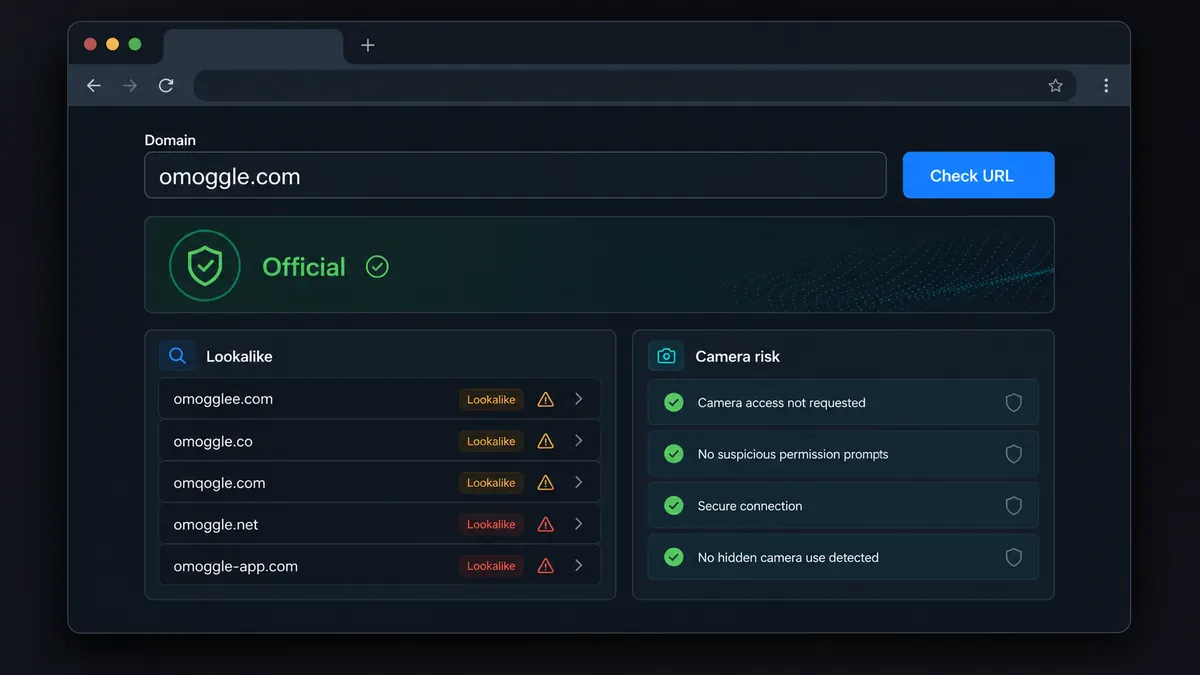
Paste the domain you are about to open. This catches common lookalikes and typo-style pages before any camera prompt.
Website result
Camera permission belongs to the exact domain in your address bar.
No account required to start. No download. Just a browser and a webcam — plus these quick checks.
Omoggle runs in any modern browser. Chrome or Firefox on desktop gives the most stable camera experience. Mobile browsers work too, though video quality varies.
Omoggle is intended for adults only. Random video chat pairs you with strangers. Confirm you meet the age requirement before granting camera access.
The official Omoggle arena is associated with omoggle.com. Several lookalike and typo domains exist in search results. Always check the address bar before giving camera permission.
Remove personal items from camera view before connecting: addresses, documents, logos that identify your location. Strangers can screenshot or screen-record matches.
Omoggle runs entirely in-browser. There is nothing to install. If any site asks you to download an extension or app to play, that is not the official Omoggle game.
Omoggle uses ELO-style ranks from Molecule and Sub3 through Chad, Slayer, and Adam. Use the calculator if you care about climb targets.
Three phases from opening the site to seeing your score. Knowing the flow removes surprises on your first match.
Search results include official, lookalike, app-looking, and typo-style Omoggle domains. The fastest safe action is to verify the address bar before you allow camera access.
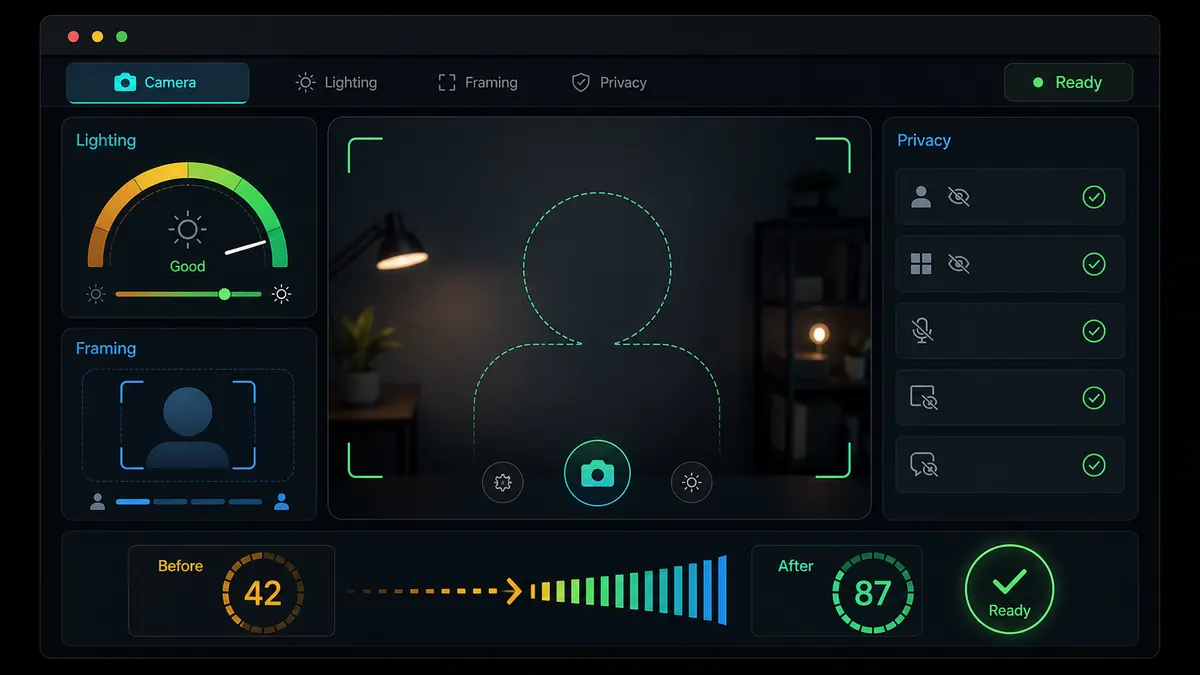
The official flow starts with camera check and setup. Front lighting, eye-level framing, and a clean background reduce score noise and privacy risk before the live round.
Once both cameras are live, the round is short. Scores and ELO can move quickly, but every match still involves a stranger seeing your webcam frame.
Takes two minutes. Skipping it is how people end up with regrets about what they showed on camera to a stranger.
Type it directly, use the checker, or inspect the address bar carefully. Do not rush through ads or typo-style search results.
Check domainRandom video chat is adult content by design. Omoggle does not guarantee every participant is an adult. Meeting the age requirement is your responsibility before you connect.
Age and safety policyStep back and check your frame. Remove anything showing your real name, address, workplace, school, or identifiable landmarks. Opponents can screenshot during a match.
More privacy tipsPosition a light source in front of you, raise the camera, and center your face. The AI scores what the camera captures, so setup quality affects consistency.
Score optimizerKnowing how ELO works, what counts as a win, and what browser support is needed takes two minutes. It prevents frustration on your first match.
Full game rulesSmall setup changes make a measurable difference in both your AI score and your overall experience.
Check lighting, framing, privacy, and connection before you play Omoggle online.
Understand Omoggle mog battle rules before your first live round.
Use the Chad calculator to understand ELO distance after you play Omoggle.
Fix database error, camera blocked, black screen, or mobile loading problems.
Quick answers for first-time and returning players.
Yes. Omoggle is free to play in a browser at omoggle.com. No subscription or payment is required for standard matches. Some premium features may require account registration.
You can play Omoggle without registering. However, creating a free account saves your ELO rating and match history between sessions. Without an account, your score resets when you close the browser.
Yes. Mobile browsers with camera support can access omoggle.com. Chrome for Android and Safari on iOS both work, though desktop setups typically produce more stable video quality for AI scoring.
The most common causes are blocked browser camera permissions, another app holding the camera at the same time, or an outdated browser. Check your browser's site permissions first, then close other video apps before reloading.
No. Omegle was a separate random chat platform that shut down in 2023. Omoggle is an independent AI-scored mog battle game with an ELO ranking system. They share a similar sound but are entirely different products.
You win when the AI gives your face a higher score than your opponent's in that round. The most controllable factors are front-facing lighting, camera positioned at eye level, and a neutral expression. No technique guarantees a win every time because the AI output varies between rounds.
Front lighting is the single most consistent way to raise your score. A light source in front of your face gives the AI a clear, well-exposed frame to analyze. Camera at eye level, a neutral expression, and a stable internet connection to reduce video compression also help. Score variance is normal even with good setup.
Check the exact domain in the address bar before granting camera permission. The official arena is associated with omoggle.com. Similar domains should be treated as separate products until you read their policies.
ELO points are earned by winning matches. The more you win, especially against higher-ranked opponents, the faster your ELO rises. Consistent lighting and framing reduces variance and produces a steadier climb over many sessions.
OBS can output a virtual camera feed that browsers may accept, allowing scene adjustments like improved lighting before the feed reaches Omoggle. Whether the site accepts virtual camera input depends on its current configuration. It does not guarantee a higher AI score.
No reliable cheat method is publicly documented. The AI scores what the camera captures in that moment. Attempts to feed altered or pre-recorded video may be detectable or blocked. The most effective approach is proper lighting and camera setup.
URL confirmed: omoggle.com. Safety checklist done. You are ready to play.
Remember: 18+ only, clear your background before connecting, and keep personal information off camera.
Unofficial guide. Not affiliated with Omoggle or Omegle. Opens omoggle.com.